md-notes - your notes are just files, and they should stay that way (2026-09-23)
I've never really settled on a note-taking app. I've tried plenty of them over the years and they all eventually annoy me in the same way - they want an account, they want my notes in a database of their own design, and they want me to trust that the export button will still work in five years when I've had enough. What I actually wanted was something that treats a folder of markdown files as the point rather than as an import format. So I wrote one.
For a long while I got by with a browser extension that rendered local .md files so at least I could read my notes without looking at raw markdown. That works right up until you want to search across them, or edit one, or see a change that another program just made on disk. Then you're back in an editor, and the extension is decoration.
There's a longer-running theme here too. I've written before about getting out from under Google and about Philips deciding my light bulbs needed a cloud account. Notes are a much more personal pile of data than either, and handing them to a company whose business model I can't see felt like exactly the mistake I'd spent years undoing everywhere else.
Enter md-notes
md-notes is one small Go binary, mdn, that runs on your own machine and serves a notes app in your browser. Your notes stay in whatever folder you already keep them in, as ordinary .md files. There's no database, no import, no export and no format to escape from - vim, grep, git and any other markdown editor all work on exactly the same files, and the app picks up their edits as they land.
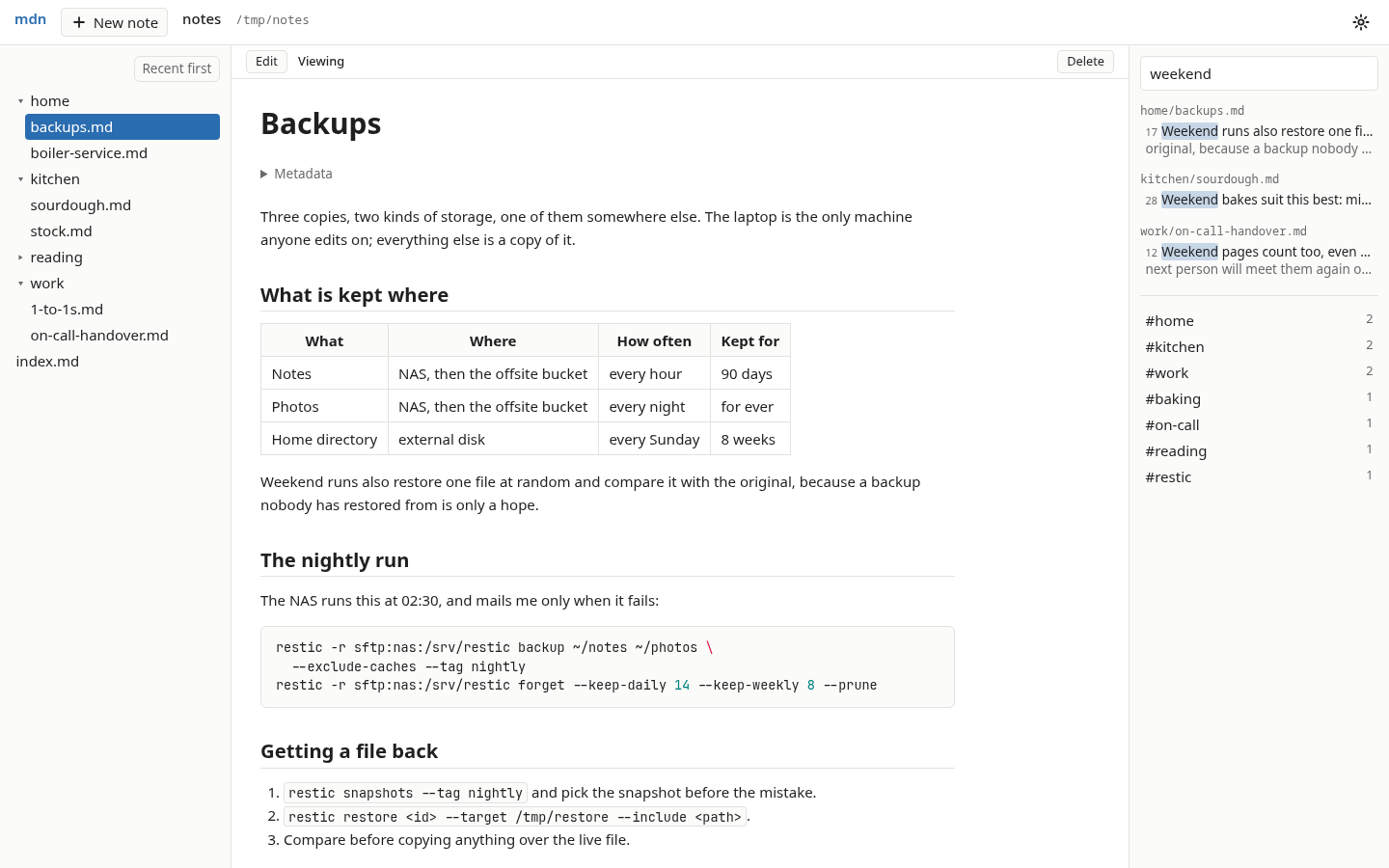
Three panes on a wide screen: the navigator on the left, the note in the middle, search and tags on the right. Nothing leaves your machine unless you send it somewhere yourself.
What it actually does
- Renders notes properly - headings, tables, task lists, footnotes and highlighted code, in a light or dark theme that follows your system. The navigator lists only markdown, skips hidden files, and inside a git repository skips whatever
.gitignoredoes. - Flips to a real editor with one key -
Ctrl+Eturns the rendered note into a CodeMirror editor with vim keybindings, and back again. - Saves as you type, and keeps up with everything else - every edit is saved automatically, and a change made on disk by another tool shows up without a refresh. If a note changes underneath an unsaved draft, it asks before anything gets lost.
- Finds things immediately - keyword search across a folder, powered by ripgrep, with the matching line and its context. Tags, from frontmatter or
#hashtags, filter the navigator. - Clips the web - a browser extension saves a readable page, or just a selection, into your notes as markdown.
- Opens any folder -
mdn open ~/projects/some-repobrowses a project's markdown the same way without making it part of your notes. Opening afile://...foo.mdin your browser does the same thing for you. I use this constantly for reading a repo's docs.
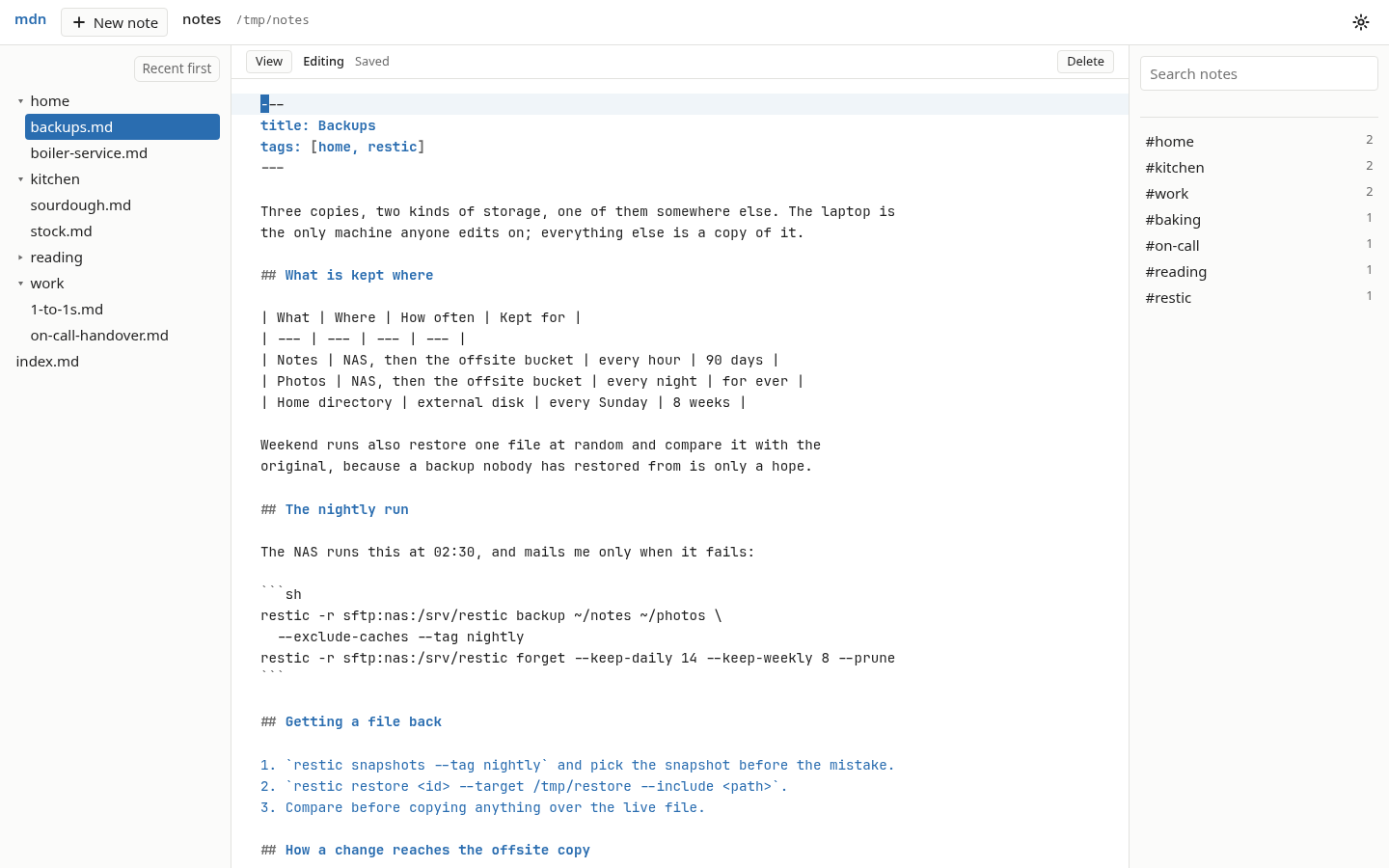
The editor is the same note, flipped. Frontmatter, tables, code blocks - the source, as it is on disk, with the note bar telling you it's saved.
Diagrams, drawn server side from text blocks
A mermaid flowchart in a note gets drawn as an actual diagram, in whatever theme you're reading in, and redrawn when the note changes.
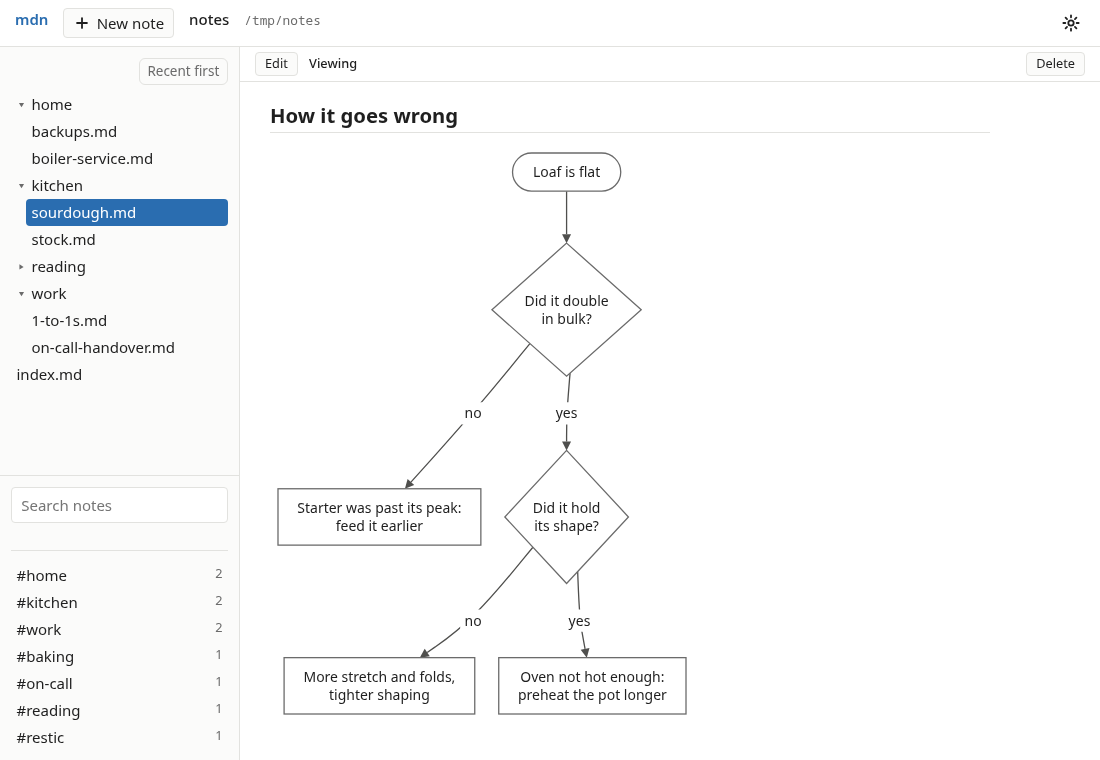
But it's the daemon that draws it, not the browser. No javascript library is in use here.
Mermaid's own JavaScript library is the obvious way to do this and I looked at it seriously. The problem is that it has critical cross-site-scripting advisories even under its strictest setting, and the app it would be running inside can read and write every note I own. A note is a file, and files come from places - a clipped web page, a repo someone else wrote, a folder synced from another machine. Handing arbitrary diagram source to a library with a known XSS history, on an origin with full read/write access to my notes wasn't worth it for prettier boxes.
So the daemon parses the flowchart, lays it out and sends back an image. The page shows that image and nothing else. No diagram source ever runs, styles or inserts anything in the browser. It draws the flowchart subset - the usual shapes, links, labels and subgraphs - and anything outside that, including every other mermaid diagram type (for now) stays a code block. That's a deliberately smaller feature than "we support mermaid", and I'd rather have the smaller one.
The layout engine brings in no third-party code either. The label widths it lays text out with are Noto Sans Regular's advance widths, generated from the font - numbers only, no glyph data.
On a phone, and everywhere else
The daemon runs on one machine. Your other devices get at the notes one of two ways, and neither is part of md-notes.
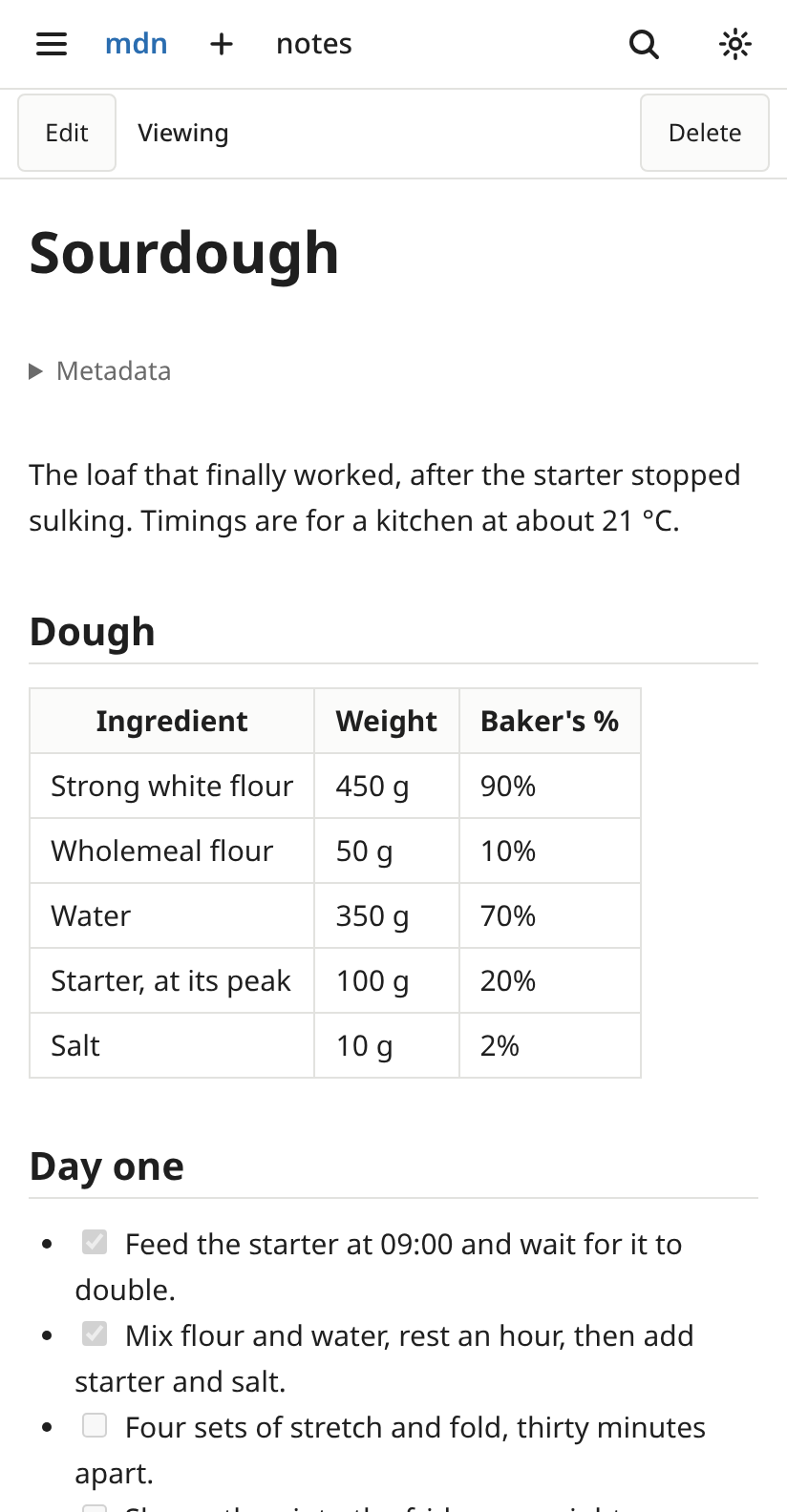
Over your tailnet. The daemon listens on loopback only, but tailscale serve will put it on your private Tailscale network behind a login, and then the whole app works from a phone or tablet - live update and editing included. On Android it installs from the browser as an app and can open in its own window.
With Syncthing. Because the notes are just files, Syncthing will mirror the folder to your other machines and your phone, where any markdown editor opens them, offline included. md-notes never syncs anything itself; it sees Syncthing's writes exactly as it sees any other edit.
There's also a set of display settings for e-ink - a light-theme override and a no-animation switch - because a screen with no backlight wants different things from a screen with one. I didn't expect that to be one of the more satisfying bits, but it is.
The browser extension
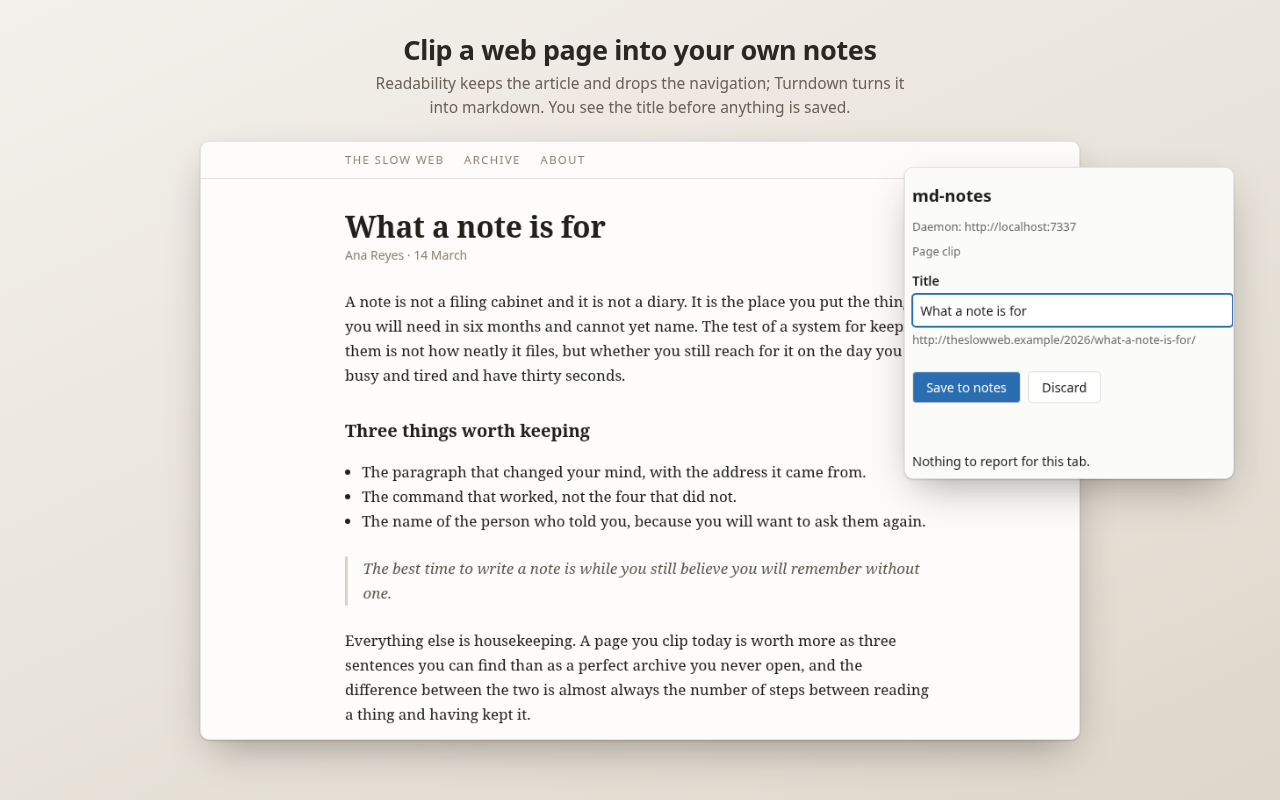
A Chromium extension for Brave or Chrome clips the readable part of a page, or a selection, into a clips/ folder in your notes along with the address it came from. It also opens local markdown files in the app instead of dumping them as plain text, which is the original itch, finally scratched properly.
Given what I've written on this blog about other people's data collection, it would be pretty poor form not to say exactly what mine does. There's a privacy page in the repo, and the short version is: the extension sends page content to one address - the one you typed into its options - and keeps two settings: that address and your token. No server, no account, no analytics, no telemetry, no remote code. I receive nothing when you install it, use it or remove it, and have no way to. Every claim on that page can be checked against the source, which is the authority for all of them.
How it fits together
If you're curious about the implementation:
- The daemon,
mdn- one static Go binary for Linux. Serves the app onlocalhost, watches your folders, renders the markdown and draws the diagrams. It shells out toripgrepfor the navigator tree and for search, which is also what keeps gitignored and hidden files out of both. - The app - a TypeScript UI built into the binary. Three panes on a wide screen, two on a narrower one, and a note with a drawer on a phone.
- The extension - the browser half, for clipping and for local files.
- Markdown is goldmark, sanitised through bluemonday, with chroma for code highlighting. Live update is
fsnotifyand Server-Sent Events.
Every path a request names is resolved inside a registered root or refused, which is the rule the whole thing is built on - it serves the folders you told it about and nothing else on your filesystem.
Getting it running
On Arch it's md-notes-bin from the AUR:
On Debian or Ubuntu, grab the .deb for amd64 or arm64 from the latest release. Either way you need ripgrep on your PATH - both packages pull it in.
Then a config file at ~/.config/mdn/config.yml:
notes_root is the only key you actually need. And then:
To have it start with your session there's a systemd user unit - note the --user, none of this should be run with root:
The daemon generates a bearer token on first start, stored at ~/.local/state/mdn/token. You only need it for the browser extension and for reaching the daemon from another device over your tailnet; the app at localhost doesn't ask for one. mdn token prints it and mdn token --rotate replaces it, which is how you revoke a device.
Room for improvement
This is unashamedly a "scratching my own itch" project, and it's very new. There are rough edges I already know about:
- Renaming a note still has to be done with other tools. Creating and deleting are in the app, renaming isn't yet.
- Only the flowchart subset of mermaid gets drawn. Everything else stays a code block.
- Linux only at the moment. Nothing in it is deeply Linux-specific, it's just what I run.
- The extension loads unpacked from a zip rather than from the Chrome Web Store - I pulled that channel before the first release.
It's what I'm using for my own notes now, and it's held up really well so far, which for something this new is the only endorsement I'm prepared to offer.
Give it a try
If you like your notes as plain files with pretty rendering, and you've been looking for something to read and write them in that doesn't want to own them, give it a go. It's a single binary and a config file with one line in it, so the cost of trying it and deciding you hate it is about two minutes.
The code is on GitHub at github.com/davison/md-notes, MIT licensed. Contributions are welcome, and there's a roadmap if you want to see where it's been.
And if you do try it, I'd genuinely like to hear how it goes. Star the repo if it's useful, open an issue if something breaks, and definitely tell me if there's an obvious thing I've missed.